
 Pixelmon
 Vanilla
 Cobblemon
Play Pixelmon
SERVER IP
pixel.mc-complex.com
Click to copy
1
Download the CurseForge App
2
Install the "Complex Pixelmon" Modpack
3
Click "Play" in CurseForge
4
Click to Join the Server

Step 1
1
Download the CurseForge App
Download the CurseForge launcher for your operating system to get started! This app will allow you to download our Modpack and stay up to date!
CurseForge Website

Step 2
2
Install the "Complex Pixelmon" Modpack
Click the link below to go to the CurseForge page for our modpack, click "Install Via App" to automatically download the pack. A popup may appear asking if your browser can open CurseForge, be sure to select "Allow". Alternatively, you can search CurseForge for "Complex Pixelmon" after selecting Minecraft to play.
Download the Pixelmon Modpack
Step 3
3
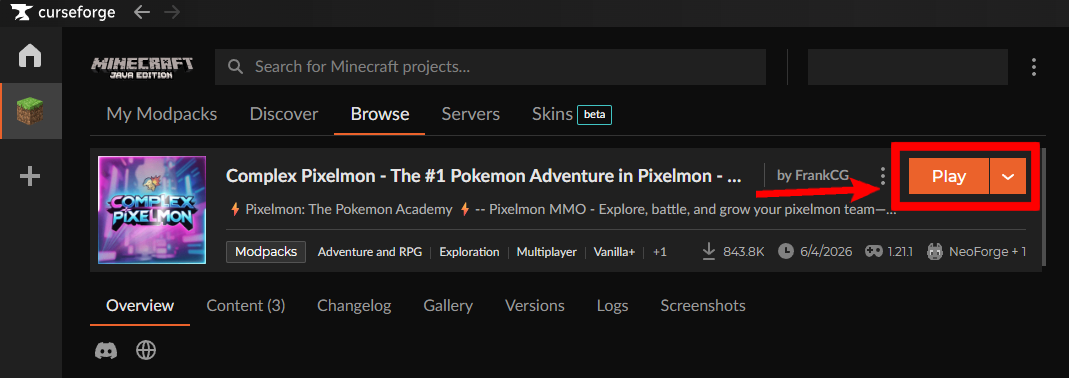
Click "Play" in CurseForge
Once the Modpack has finished Downloading, you should be able to click "Play" to now launch within your CurseForge App! The first launch may take a while, however you should not have to edit any settings for a smooth experience!

Step 4
4
Click to Join the Server
You should be on the Multiplayer menu once the launcher has finished loading your game. Select the Join Server button or Double Click the Server Icon from your menu to join our network!
Need Help Installing?
Join our Discord for quick support!
Step 1 of 4